Sep 16, 2026Enterprise Storage
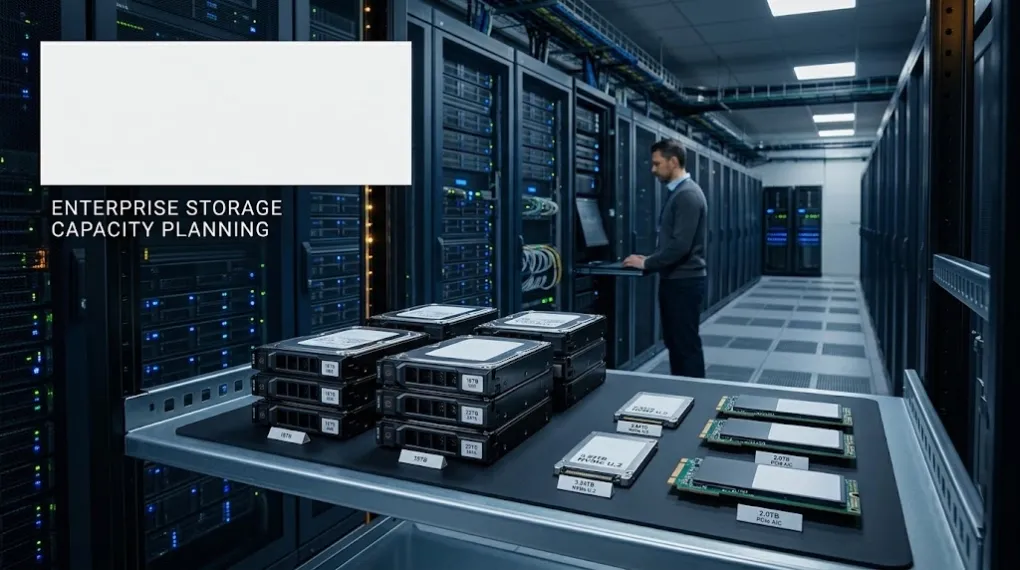
Enterprise Storage Capacity Planning: How to Choose the Right Drive Size for a Data Center Project
Learn how to plan enterprise storage capacity by evaluating drive size, drive count, future expansion, compatibility and supply availability for data center projects.
Enterprise Storage Capacity Planning: How to Choose the Right Drive Size for a Data Center Project
Choosing the right enterprise storage capacity is not simply a matter of selecting the largest drive available.
For data center projects, storage capacity affects much more than the amount of data that can be stored. It can influence the number of drives required, rack space, power consumption, expansion planning, performance requirements, procurement risk and long-term supply continuity.
A drive that looks attractive based on capacity or price may not always be the best choice for the complete infrastructure.
This is why enterprise storage capacity planning should be considered before the final drive model is selected.
1. Start With the Project's Actual Storage Requirement
The first step is to understand how much storage the project actually needs.
A basic capacity calculation can start with:
Required raw capacity = expected data volume + growth allowance + operational overhead
However, raw capacity is not the same as usable capacity.
Depending on the storage architecture, RAID configuration, redundancy requirements and filesystem or platform design, part of the installed capacity may not be available for user data.
For example, a project requiring a certain amount of usable storage may need significantly more raw capacity after redundancy and future growth are considered.
Therefore, buyers should determine:
- Current data volume
- Expected annual data growth
- Required usable capacity
- Redundancy requirements
- Backup or replication requirements
- Expected expansion period
The goal is not simply to buy more storage.
The goal is to build enough capacity without creating unnecessary hardware, power and procurement costs.
2. Drive Size Changes the Number of Drives Required
Drive capacity has a direct impact on the number of drives needed.
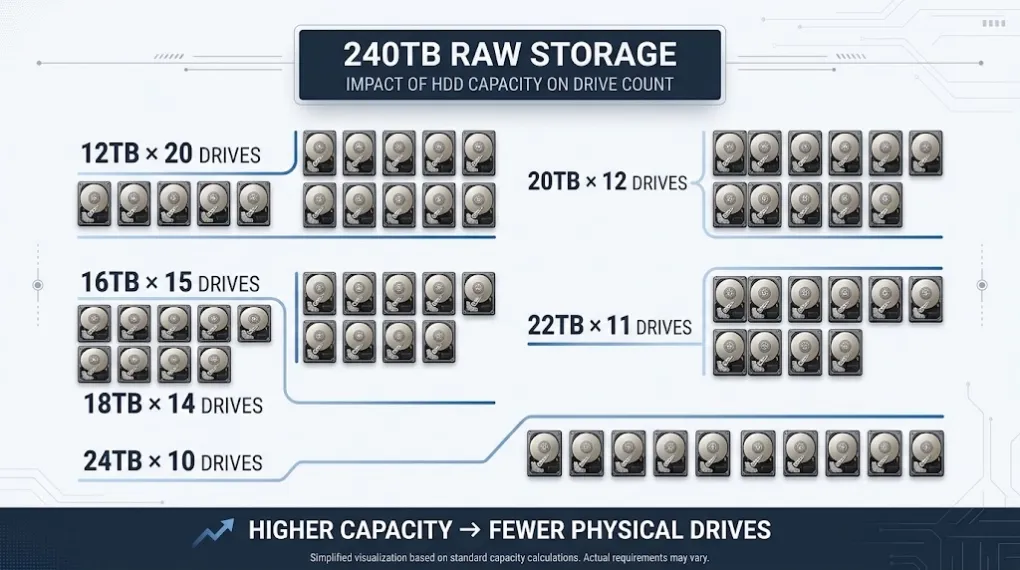
For example, if a project requires approximately 240TB of raw storage:
Drive Capacity | Approx. Drives Required |
|---|---|
12TB | 20 drives |
16TB | 15 drives |
18TB | 14 drives |
20TB | 12 drives |
22TB | 11 drives |
24TB | 10 drives |
These numbers are simplified examples before considering RAID, spare drives and other infrastructure requirements.
The important point is that higher-capacity drives can reduce the number of physical drives required.
That may affect:
- Server or storage chassis utilization
- Rack space
- Power consumption
- Cooling requirements
- Cabling
- Maintenance workload
- Future expansion
But this does not automatically mean that the highest-capacity drive is always the correct choice.
3. Higher Capacity Does Not Automatically Mean Better
A common procurement mistake is to compare drives only by capacity.
Suppose a customer originally specifies an 18TB enterprise HDD.
A supplier may immediately recommend a 24TB model because it provides more capacity.
Technically, that may look like an upgrade.
From a project perspective, however, several questions still need to be answered:
- Is the 24TB drive supported by the existing storage platform?
- Is the interface compatible?
- Does the storage architecture support the larger capacity?
- Is the physical form factor suitable?
- Does the customer need the additional capacity now?
- Will mixing different drive capacities affect the storage configuration?
- Is the same model available for future expansion?
- Can the buyer maintain consistent batches later?
This is why capacity planning and compatibility planning should be considered together.
A larger drive is only useful when it fits the complete infrastructure plan.
4. Plan for Future Expansion, Not Only Today's Capacity
Enterprise storage projects rarely remain at their initial capacity.
Data volumes can increase because of:
- New applications
- Video and media workloads
- Database growth
- Backup retention
- Virtualization
- AI and analytics workloads
- Additional users or systems
A project that requires 200TB today may require substantially more capacity later.
This creates an important procurement question:
Should the project buy exactly what it needs today, or leave room for future expansion?
Both approaches can be reasonable.
The correct decision depends on the customer's:
- Growth expectations
- Budget
- Storage architecture
- Expansion schedule
- Hardware availability
- Procurement cycle
For long-term projects, buyers should also consider whether the same drive model or an equivalent capacity will still be available when expansion is required.
5. Standardizing Drive Capacity Can Reduce Supply Risk
Capacity planning is also connected to procurement strategy.
For a large deployment, using a standardized drive model can simplify:
- Qualification
- Deployment
- Replacement
- Inventory management
- Maintenance
- Future expansion
However, depending entirely on one model or one supply channel can also create risk.
If the selected model becomes difficult to source, reaches EOL status or experiences allocation pressure, future expansion may become more complicated.
This is where a second-source strategy can become useful.
A second source does not necessarily mean replacing the primary supplier.
It can provide an additional sourcing option when:
- The primary model is temporarily unavailable
- A project requires urgent allocation
- Additional capacity is needed
- A legacy model must be replaced
- Future expansion requires consistent specifications
- Procurement needs greater supply flexibility
The objective is to make the storage architecture less dependent on a single procurement path.
6. Capacity Planning Should Consider Availability
A technically suitable drive is not necessarily a practical choice if it cannot be sourced when the project needs it.
This becomes particularly important for project-based procurement.
For example, a system integrator may already have:
- A confirmed customer project
- A fixed deployment schedule
- A defined storage configuration
- A required quantity
If the specified drive is unavailable, simply finding another drive with similar capacity may not be enough.
The replacement may require compatibility verification, customer approval or configuration changes.
Therefore, storage planning should consider availability together with capacity.
A useful procurement question is:
Can we source this capacity today, and can we reasonably source it again when the project expands?
That question is often more important than simply asking which drive has the highest capacity.
7. HDD and NVMe Capacity Planning Are Different
Capacity planning also depends on the type of storage being deployed.
For high-capacity enterprise HDD systems, buyers may focus more heavily on:
- Cost per TB
- Raw capacity
- Drive count
- Storage density
- Long-term archival requirements
- Backup capacity
- Expansion requirements
For enterprise NVMe SSD deployments, capacity planning is often connected with:
- Performance requirements
- IOPS
- Throughput
- Latency
- Server compatibility
- PCIe generation
- Form factor
- Endurance requirements
For example, a 3.84TB enterprise NVMe SSD may be appropriate for a high-performance server workload where performance and predictable latency are more important than maximizing raw capacity with HDDs.
This means that capacity should always be evaluated together with the workload.
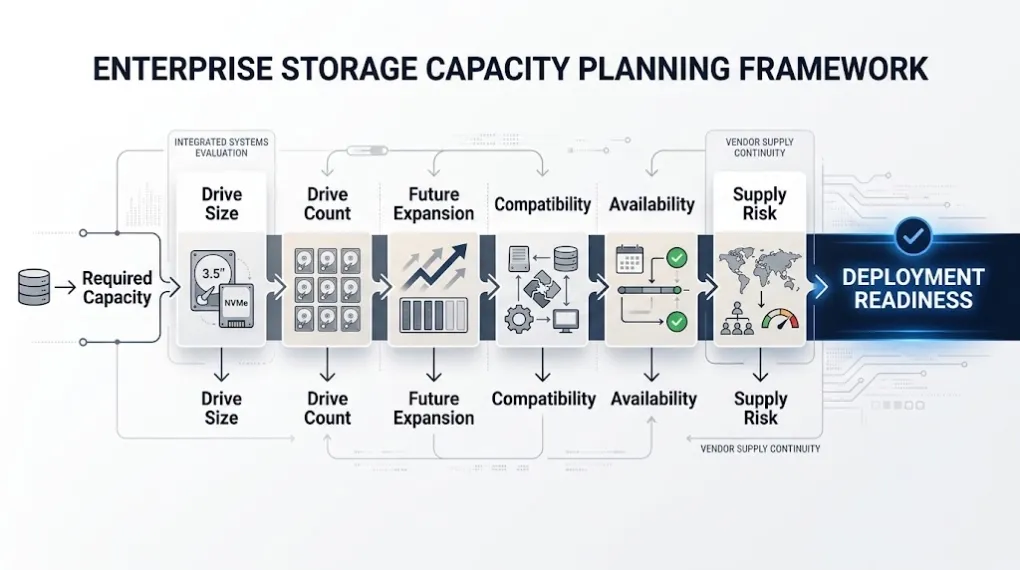
8. A Simple Capacity Planning Framework
Before selecting an enterprise HDD, SSD or NVMe model, buyers can evaluate the project through five questions:
1. How much usable capacity is required?
Start with the customer's actual data requirement rather than the drive specification.
2. How much capacity will be required in the future?
Estimate expected growth and expansion requirements.
3. How many drives are required?
Compare different drive capacities and their impact on the overall infrastructure.
4. Does the drive fit the existing platform?
Check interface, form factor, server/storage compatibility and configuration requirements.
5. Can the selected capacity be sourced reliably?
Consider current availability, future expansion, replacement requirements and potential second-source options.
This approach helps turn a simple product selection into a more complete storage infrastructure decision.
9. Capacity Planning Is Also a Supply Planning Decision
For enterprise storage buyers, the final question is not simply:
“Which drive has the highest capacity?”
A better question is:
“Which capacity provides the right balance between infrastructure requirements, future expansion and supply availability?”
For some projects, 18TB may be the most practical choice.
For another project, 20TB, 22TB or 24TB may reduce the number of physical drives and provide better storage density.
For high-performance applications, a 3.84TB enterprise NVMe SSD may make more sense than a much larger HDD because the workload requires a different performance profile.
The right answer depends on the complete project.
Conclusion
Enterprise storage capacity planning should begin before the purchase order.
The objective is not simply to select the largest available HDD or SSD.
A practical storage plan should connect:
Capacity → Drive Count → Infrastructure → Future Expansion → Compatibility → Availability → Supply Risk
When these factors are evaluated together, IT distributors, system integrators and data center teams can make better storage procurement decisions and reduce the risk of capacity mismatches later in the project.
At XIYATU, we support enterprise storage sourcing for HDD, SSD and NVMe requirements based on capacity, availability, specifications and deployment needs.
For a specific project, buyers can provide the required capacity, drive type, quantity and deployment requirements so suitable sourcing options can be evaluated.